Routines, Calendar, and Widgets: Time-Based Calm in Unutma
A reminders app that works offline has one job: fire on time whether or not there is a signal or a server. In Unutma, routines and reminders are scheduled on the phone itself, so they do not wait for a connection. This guide covers how they work, and how to test them against your phone’s battery saver.
Notifications are not neutral — they are tiny landlords that charge rent in attention. Unutma’s time-based tools — Routines, Calendar, and (where supported) home screen widgets — try to earn that rent: structure without surveillance, reminders without shame, and quick access to what matters when you are already holding the phone for the hundredth time.
This guide explains how to design routines that survive real life, how Calendar holds events alongside your logged life, and how widgets shrink friction for repeated actions. For the full architecture of the app, see the complete feature guide.
Routines: rhythm, not rigidity
Routines in Unutma are built for morning, afternoon, and evening flows — not because your day is equal thirds, but because energy often is. A morning routine might be five steps; an evening routine might be three — what matters is repeatability.
Design principles:
- Anchor routines to existing habits — “After coffee, stretch” beats “stretch at 7:14.”
- Keep steps small — if a routine is twenty steps, it is a project, not a rhythm.
- Use reminders as nudges, not alarms of shame — rename notifications in plain language: “Gentle: wind down” instead of “FAILURE IMMINENT.”
Pair routines with a simple morning anchor habit for philosophical framing — Unutma supplies the container.
Calendar: events in the world, not just tasks in a list
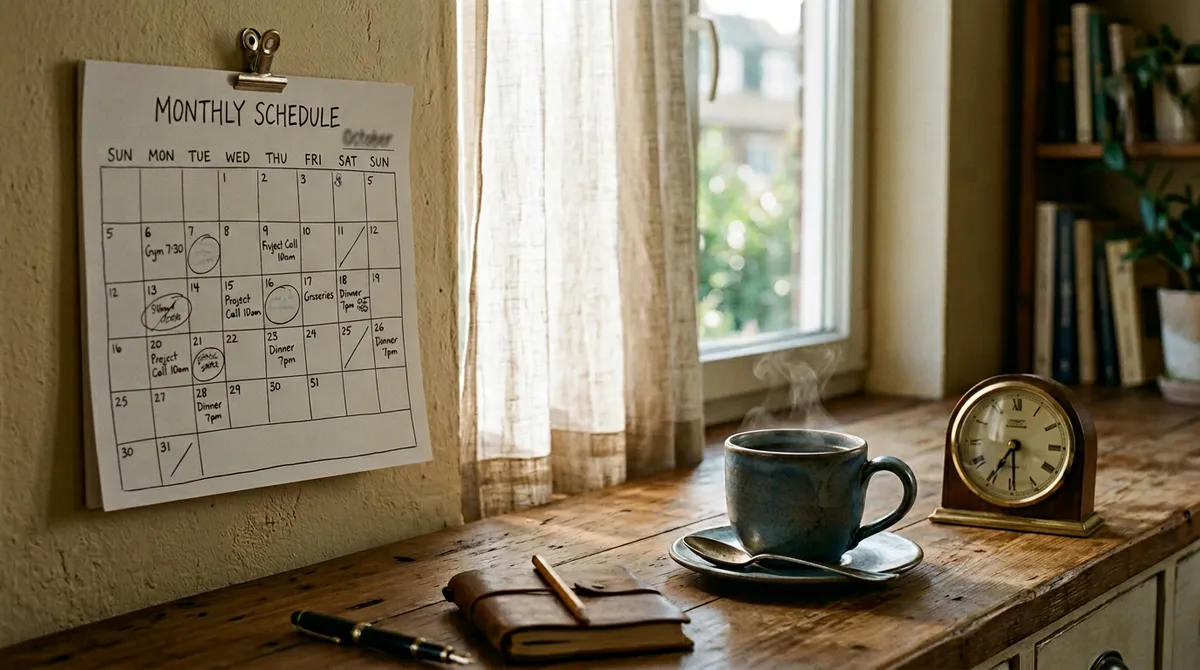
Calendar holds dated events with optional notifications — the dentist, the flight, the school play. This is distinct from Todo (commitments without a fixed clock) and distinct from Actions (identity-level logging).
Best practice:
- Time-specific → Calendar.
- Outcome-specific → Todo.
- Identity/habit signal → Actions.
When those boundaries blur, you feel “busy” without progress — restore the boundaries weekly.
Widgets: one tap from the home screen
Widgets exist to reduce activation energy for the highest-leverage actions — logging a quick action, checking a routine, glancing at what matters before you open a social app by muscle memory.
Widget hygiene:
- Place one widget per screen region — avoid widget gardens that recreate chaos.
- Refresh expectations — widgets summarize; they do not replace full context inside the app.
Routines + Actions: complementary, not duplicate
Actions answer “Did I do the thing?” Routines answer “Did I move through the block I intended?” You might log “Morning routine complete” as an Action while the routine itself holds five internal steps — that is compression, not cheating.
Routines + Journal: narrate transitions
End-of-day Journal entries thrive on transition moments:
- “Evening routine shortened — exhausted — okay.”
- “Skipped routine — guilt — noticed — still here.”
Routines + Economy: money dates on the calendar
Put subscription renewal dates and bill due windows into Calendar if that reduces anxiety — Economy holds amounts; Calendar holds when the world expects payment.
Weekly planning tie-in
Connect routines to weekly planning tips — Sunday (or any review day) is when you adjust routine length to match reality, not fantasy.
Failure modes
| Failure | Symptom | Fix |
|---|---|---|
| Over-notification | You ignore everything | Cut reminders by 50% for one week |
| Under-notification | You forget the routine exists | One sticky anchor + one Calendar backup |
| Routine creep | Steps multiply silently | Monthly routine audit — delete one step |
Setting up a routine, screen by screen
- Open Reminders (the alarm clock icon at the top of the home screen) and tap New Routine.
- Give it a name, for example “Take medicine”, pick the days under Which Days? and set a time.
- Choose the Reminder type: Gentle, Normal or Alarm. Alarm is louder and suits medication.
- Optional: tap Add to phone alarm to copy the time into your phone’s clock app as a backup.
- When the reminder arrives, tap Done. The “Routine activity” heatmap and the “This week” ring update.
You can also type it to the assistant: “Pilates every Tuesday and Thursday” becomes a routine on those days. On the free plan you can have 3 routines or reminders; quick actions and the shopping list are unlimited.
Test it: does your reminder survive the battery saver?
Offline is the easy part. The harder part is the phone itself. Android’s Doze mode and app standby can delay background work to save battery; Android’s developer documentation on Doze and App Standby explains that normal alarms are deferred to maintenance windows, while alarms set as exact, or as alarm clocks, are allowed to fire. Some phone makers add their own, stricter battery savers on top. On iPhone, Focus modes and notification settings decide whether a reminder makes a sound; Apple’s guide to changing notification settings shows where to look.
Run this checklist once, ideally the day you install any reminders app:
- Allow notifications for the app. Unutma warns you on the Reminders screen if permission is missing (“No notification permission. Reminders won’t work.”).
- Create a test routine for 15 minutes from now, with the Alarm type.
- Turn on airplane mode and lock the phone. Leave it face down.
- Check that it fires within a minute of the set time.
- Repeat with battery saver on. If it is late, exclude the app from battery optimisation in your phone’s settings (on Android, usually under Apps › Battery).
- Restart the phone and test once more. Scheduled reminders should survive a restart.
- On iPhone, check Focus. A Focus mode can silence the reminder even though it arrives on time.
- For critical reminders, add a phone alarm too. “Add to phone alarm” is there for exactly this.
If a reminder fails this test, the cause is almost always a phone setting rather than the network. That is good news: it is fixable in a minute.
Frequently asked questions
Do Unutma reminders work without internet?
Yes. Routines, to-do reminders and calendar alerts are scheduled on the phone, so they fire in airplane mode.
Why did my reminder arrive late?
Usually a battery saver or Doze mode on Android, or a Focus mode on iPhone. Run the checklist above and exclude the app from battery optimisation.
Can a routine repeat every few days or monthly?
Yes. A routine can repeat on chosen weekdays, on a set day each month, or every few days, such as every 3 days for watering plants. To-dos can also repeat daily, weekly or monthly.
Can I get reminded by location?
No. Unutma has no location-based reminders. Reminders are time-based.
How many routines can I have for free?
Three routines or reminders on the free plan. Premium removes the limit.
Where this fits
If you are choosing between apps, our five-minute test for apps that work offline covers more than reminders. For routines worth setting up, see the morning and evening routine template and how to build habits that stick. For medication and the door, read how to stop forgetting things.
All of these reminders are scheduled on your phone, so they keep firing with no signal. That is the core of a to-do list app with no account.
Closing
Time-based tools should make life more legible, not more loud. Next: themes, games, languages, and backup — the “human layer” of Unutma — or revisit weekly planning tips if your schedule still feels tighter than your values.