
Unutma Quick Actions: Checklist Taps, Streaks, and Heatmaps
Ever stood in the hallway wondering whether you actually unplugged the iron, locked the back door, or turned the stove off? That is not a “productivity” problem — it is a trust-your-past-self problem. Unutma’s Actions tab is built for that: not a journal of “what I did today,” but one tap per check so your brain can stop replaying the same worry on a loop.
This article covers Quick Actions, streaks, statistics, heatmap-style summaries, and personal records — how they connect, how to avoid turning them into punishment, and how they pair with the rest of the app. For the full map first, see our complete feature guide.
What Quick Actions actually are (and what they are not)
Quick Actions are custom buttons for real-world checks — things like “Iron unplugged”, “Door locked”, “Stove off”, “Meds taken”, “Alarm set”, or “Car lights off.” When you tap, Unutma logs the moment with a timestamp. You are not writing a story; you are leaving evidence the way a pilot uses a checklist — boring on purpose, reliable by design.
What Quick Actions are not:
- They are not a replacement for Journal or therapy. If you need to process a hard day, write there; Actions answer yes/no style peace of mind.
- They are not a social feed. Nobody claps. Nobody ranks you.
- They are not a cloud-first analytics product that sells your patterns.
The design bet: most people do not need more motivation for household safety; they need a clear “I already did that” signal. A tap takes two seconds. Honesty takes longer in journaling; Actions give you signal before story.
Streaks: the gentle game you can opt into
When you log the same action on consecutive days, Unutma can surface streak information — a classic “don’t break the chain” pattern, but in a private, offline-first shell. Streaks work when they reinforce identity (“I am someone who closes the loop”) — not when they shame you for being human.
Use streaks wisely:
- Keep the list small. Five meaningful checks beat twenty aspirational ones.
- Forgive fast. Missing a day is data, not a character flaw. The app is not your parent.
- Pair streaks with Journal when emotions spike — Actions show that you tapped; Journal can hold why the day felt heavy.
If streaks ever feel like shame, hide the stats for a week and keep only the taps. The logs still help.
Statistics, heatmaps, and “personal records”
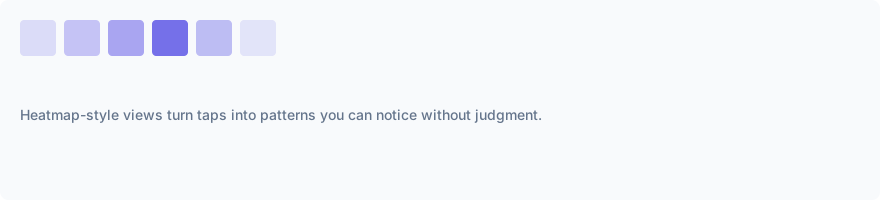
Recent versions of Unutma add richer Statistics views — including heatmap-style activity over a window of days and personal records such as longest streaks or totals. Think of heatmaps as weather maps for behavior: you see fronts and dry spells, not moral judgments.
How to read a heatmap without spiraling:
- Look for clusters — good weeks and rough weeks both have shapes.
- Notice context, not blame — travel, illness, crunch time at work all flatten patterns.
- Ask one question only: “What is one tiny check I could log tomorrow regardless of mood?”
Personal records are fun when they celebrate you — and disposable when they don’t. If a record stops feeling supportive, reset mentally: the next tap is day one of a kinder experiment.
“On this day” and the long arc of memory
When Unutma surfaces “on this day”-style memories — what you logged a year ago — use it as continuity, not comparison. Last-year-you had different constraints. The win is noticing range: you have been paying attention long enough to have a past worth revisiting.
Wiring Actions to the rest of Unutma
Actions → Lists: After a shopping run, you might tap “Groceries done” while the actual list lives under Shopping in Lists.
Actions → Economy: If money stress drives your mood, pair a simple expense log habit in Economy with an Action like “Review spending 5m.”
Actions → Journal: End the day with one line in the Journal after you review Actions. Correlation is not causation — but patterns emerge.
Actions → Routines: If you use Routines for morning or evening flows, Actions can mark closure (“Evening shutdown done”) without duplicating every subtask.
A sane first week with Quick Actions
| Day | Try this |
|---|---|
| 1–2 | Create three buttons for checks you actually worry about (door, iron, meds). Tap honestly, even once. |
| 3–4 | Add a fourth button only if the first three feel honest, not performative. |
| 5–7 | Open Statistics once — skim heatmap, don’t stare. Write one Journal sentence if something surprised you. |
Privacy reminder
Quick Actions data lives with your other Unutma content: on your device in normal use, not sold as engagement metrics. That is the same philosophy we outline in the Unutma Vault — tools should earn trust by architecture, not slogans.
Common mistakes (and calmer fixes)
Mistake 1 — Treating Actions like a second journal. If you are writing paragraphs in your head, move that to Journal. Rename buttons so they stay checklist-shaped (“Stove off”) instead of vague life labels (“Good day”).
Mistake 2 — Copying someone else’s 12-button dashboard. Start with three buttons for two weeks. Expansion is cheap; trust is expensive.
Mistake 3 — Using Actions as a substitute for sleep or medical care. If exhaustion is chronic, heatmaps will show it — that is data to act on in the real world, not proof you should try harder in an app.
Mistake 4 — Ignoring the emotional layer. If the heatmap looks “fine” but you feel awful, that mismatch is information. Pair with journaling in Unutma for nuance.
A closing-routine sketch (realistic, not aspirational)
Before leaving home: One tap — “Door locked.” After cooking: One tap — “Stove off.” Night: One tap — “Iron unplugged.” That is three honest signals tied to real risk, not a performance report. If you add a fourth tap on heavy days — “Meds taken” — you are building a vocabulary your anxious brain can actually use.
FAQ
Do I need to open Unutma constantly? No. Batch taps when you remember; the value is relative honesty over weeks, not millisecond precision.
Will streaks make me anxious? They can — treat streaks as optional chrome. The log still helps without a number attached.
Can I migrate habits from another app? Mentally, yes: pick three equivalents and start fresh. Old streak numbers rarely survive context changes anyway.
Bottom line
Quick Actions work because they are small enough to be honest and structured enough to compound. Streaks and heatmaps are optional lenses — the core win is replacing rumination with a tap that matches real life, not a diary fantasy. Next in this series: how Lists split Todo, Shopping, and Wishlist without splitting your attention — or jump back to the complete feature guide anytime.